

Sample gallery
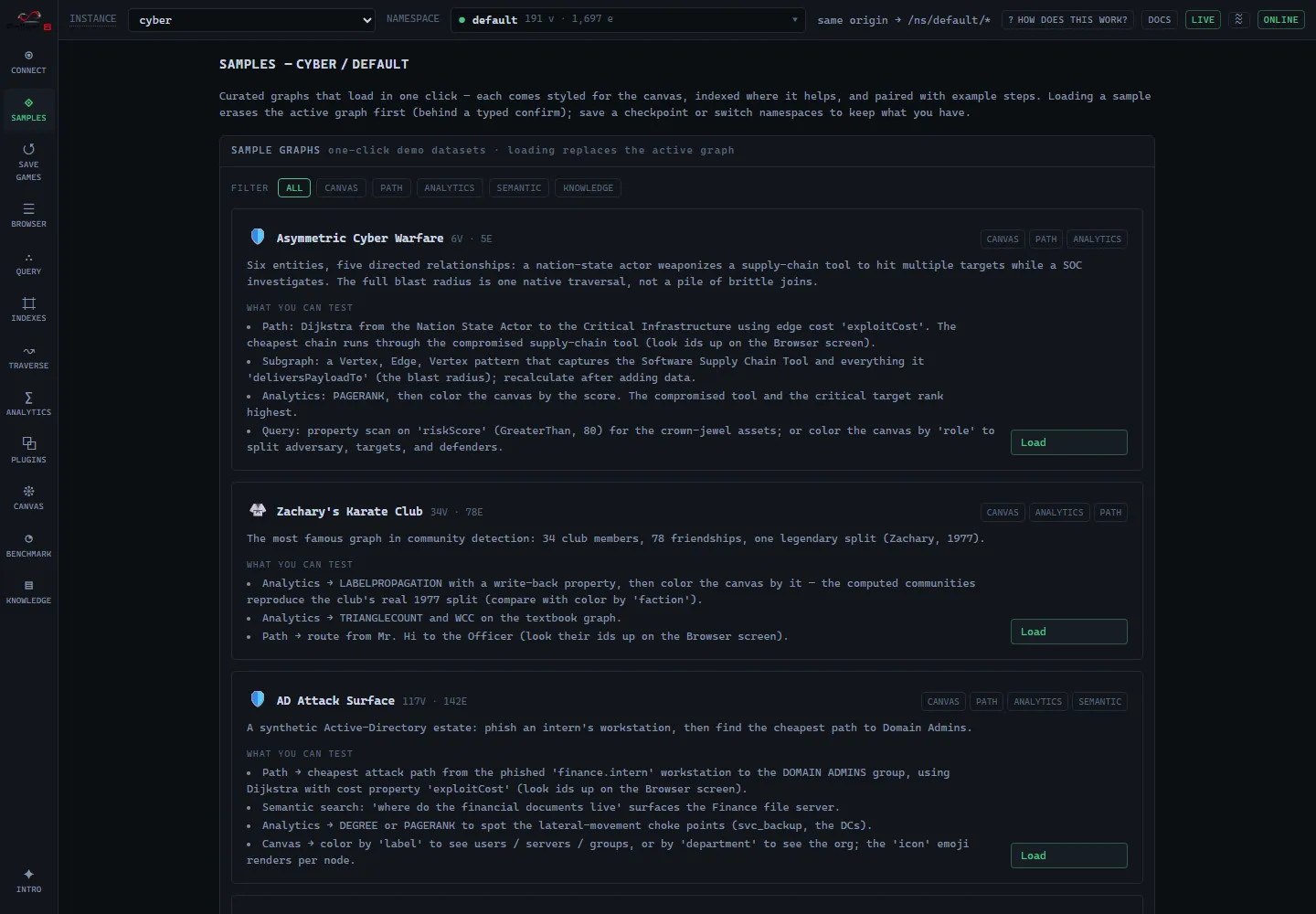
F8 Studio’s Samples screen ships a gallery of curated graphs that load in one click. Each comes styled for the canvas, indexed where it helps, and paired with example queries, so every card is a short guided tour of a different Fallen-8 capability, analytics, weighted paths, semantic search, visualization. A tag bar at the top filters the gallery by capability. This doc walks through each one, with screenshots and queries you can run yourself.
How loading works
Section titled “How loading works”Clicking Load fetches the dataset, imports it, builds the sample’s indices, and re-reads the
elements onto the canvas with the sample’s style. For the baked datasets no embedding work
happens at load time, because the vectors are already in the file. The datasets ship with the app
and are served same-origin from /samples by default, so the gallery shows exactly the samples
the app was built with and works offline. VITE_F8_SAMPLES_BASE repoints them at a remote mirror
or a fork, but it is a Vite build variable, inlined into the bundle: it has to be set when the SPA
is built. A prebuilt Studio image cannot be repointed at runtime (its only runtime knob is
F8_API_URL).
One sample is different: Wind Farm Fleet Integrity additionally ingests three synthetic documents
through the live semantic layer after the graph is
imported, so it adds three steps (seeding the asset index, binding the layer, ingesting) and it
does compute embeddings at load time. It therefore needs more of the environment than the others,
and its card checks four things: ingestion enabled (F8_INGESTION), the embedding provider
(F8_EMBEDDINGS), the docling sidecar reachable (the PDF and the spreadsheet convert there), and
the NLP sidecar (F8_NLP) for the entity network. The first three block: the card disables Load
and names what to fix, as it also does while it has not yet read the instance’s capability state. A
missing NLP sidecar only warns, because enrichment is additive: the sample still loads, without the
entity network, so steps 3 and 6 of the walkthrough below need F8_NLP on.
- Import needs an empty graph (a non-empty graph answers
409, whatever its ids). Loading into an instance that still holds elements or indices is gated behind a typed-name confirm that erases first, save a checkpoint (save games) if you need the current data, or switch to a fresh namespace. - The datasets are
fallen8-jsonl: the same format bulk import/export uses, fetched and streamed throughPOST /bulk/import. - Bring-your-own-vector always works. The embedded samples carry their vectors in the file, so vector scans work even with no embedding provider. The text-in features (semantic search by typed text) additionally need a provider whose model identity matches the baked vectors: each card tells you whether that works on the current instance. See semantic traversal.
The samples
Section titled “The samples”🛡️ Asymmetric Cyber Warfare, 6 vertices, 5 edges
Section titled “🛡️ Asymmetric Cyber Warfare, 6 vertices, 5 edges”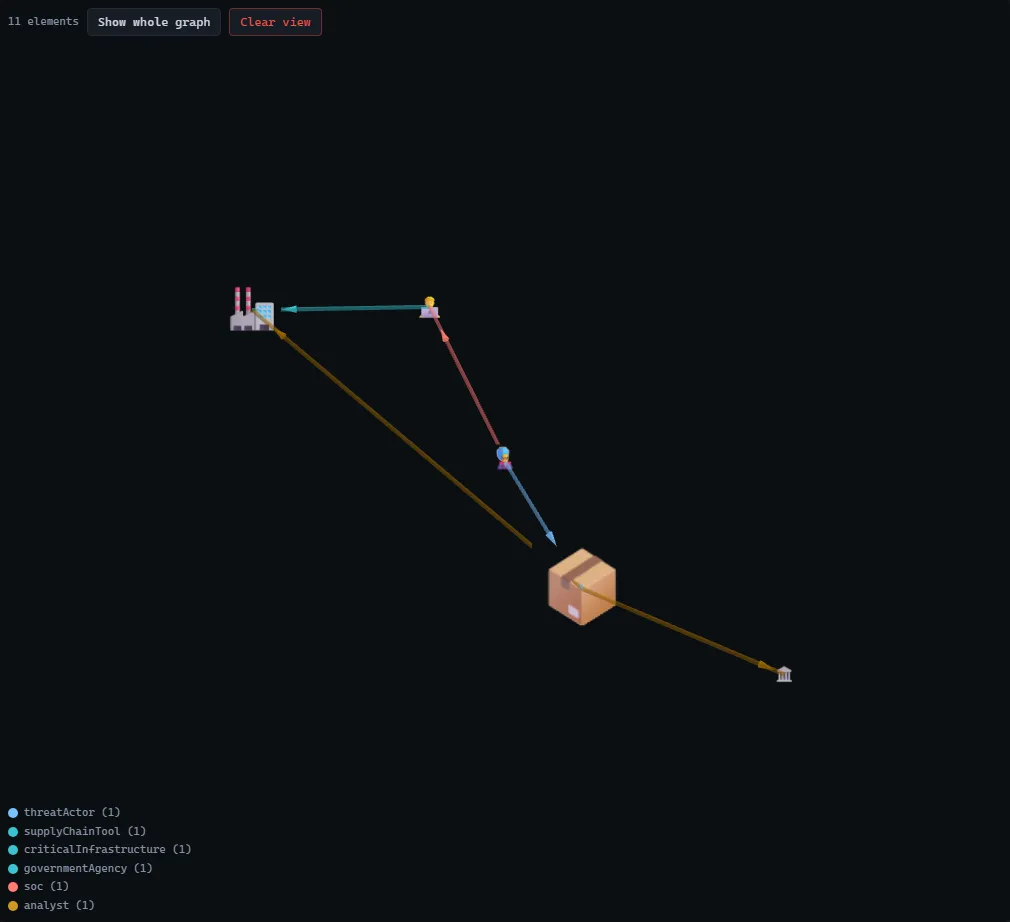
A tiny, story-driven graph: a nation-state actor weaponizes a compromised software supply-chain tool to deliver a payload to two targets (critical infrastructure and a government agency), while a SOC and its analyst investigate. Six entities, five directed relationships, emoji nodes, and labelled edges. It is the same graph the first-run walkthrough animates. The point: the full blast radius of a compromise is a single native traversal here, versus the brittle multi-table joins a relational store forces.
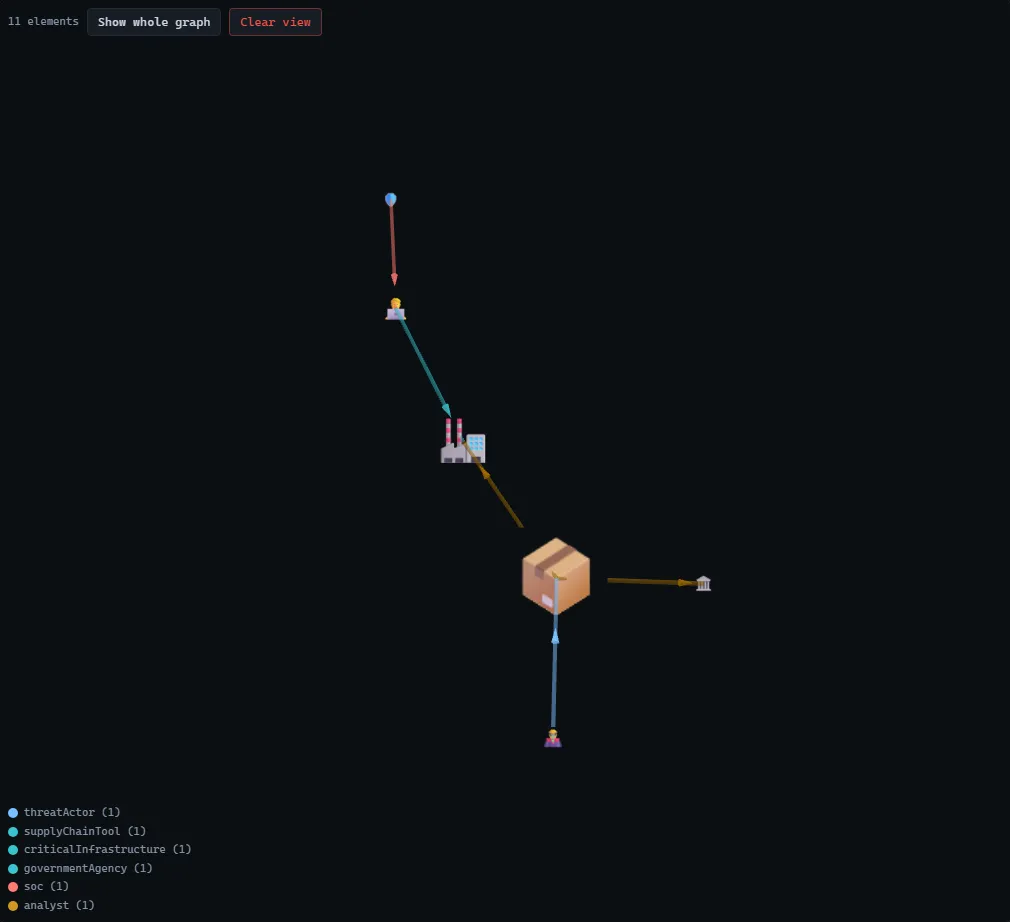
The same graph in the 3D renderer with a force layout:
Try it:
- Path from the Nation State Actor to the Critical Infrastructure to see the blast radius of a supply-chain compromise (look ids up on the Browser screen).
- Subgraph capturing the Software Supply Chain Tool and everything it delivers to, then recalculate it as the graph changes.
- Analytics →
PAGERANK, then color the canvas by the score: the compromised tool and the critical target rank highest.
🥋 Zachary’s Karate Club, 34 vertices, 78 edges
Section titled “🥋 Zachary’s Karate Club, 34 vertices, 78 edges”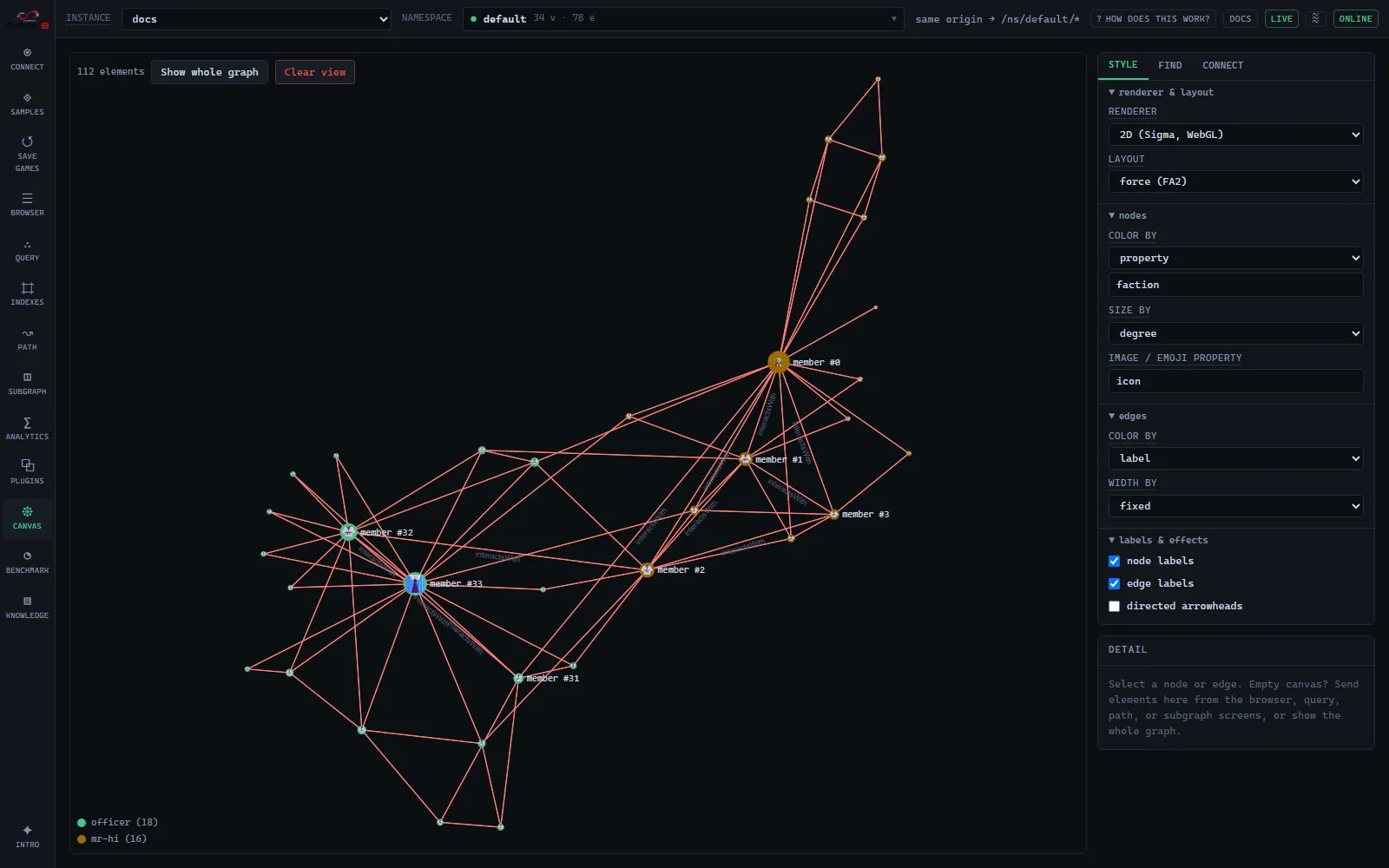
The most famous graph in community detection: club members, friendships, and the real 1977
split. Nodes are colored by faction and sized by degree, so the two camps and their leaders
(member #0 and #33) are obvious at a glance.
Try it:
- Analytics →
LABELPROPAGATIONwith write-back, then color the canvas by the computed community: it reproduces the club’s real split (compare with color byfaction). TRIANGLECOUNTandWCCon the textbook graph.- Path from Mr. Hi to the Officer (look their ids up on the Browser screen).
🛡️ AD Attack Surface, 117 vertices, 142 edges
Section titled “🛡️ AD Attack Surface, 117 vertices, 142 edges”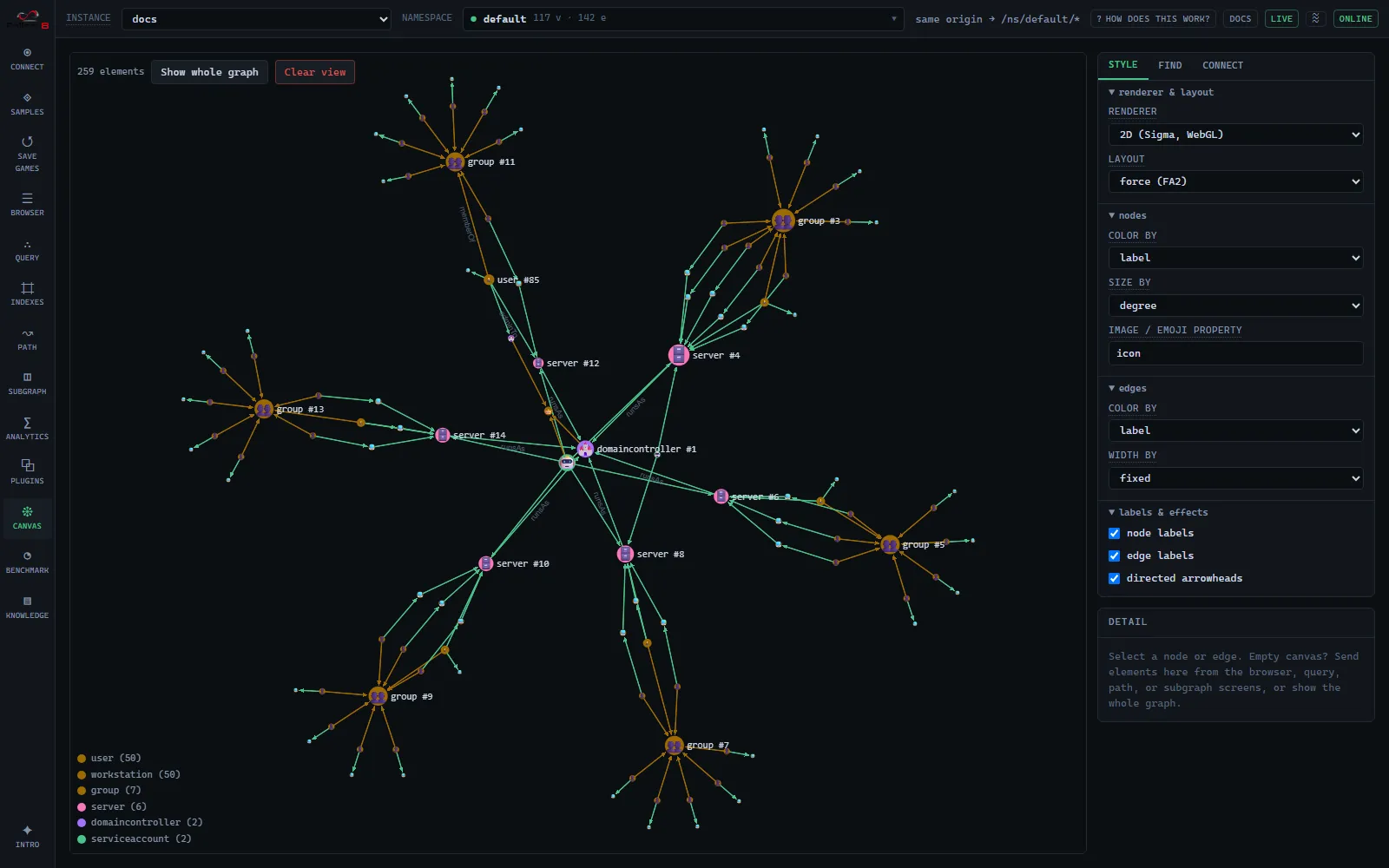
A synthetic Active-Directory estate: users, workstations, servers, and groups. The scenario is a red-team classic, phish an intern, then find the cheapest path to Domain Admins. Ships with a bound vector index for semantic search.
Try it:
- Path → Dijkstra from the phished
finance.internworkstation to theDOMAIN ADMINSgroup, using cost propertyexploitCost: the result is the cheapest attack chain. - Semantic search: “where do the financial documents live” surfaces the Finance file server.
- Analytics →
DEGREE/PAGERANKto spot lateral-movement choke points.
🎬 Movie Night, 191 vertices, 1,697 edges
Section titled “🎬 Movie Night, 191 vertices, 1,697 edges”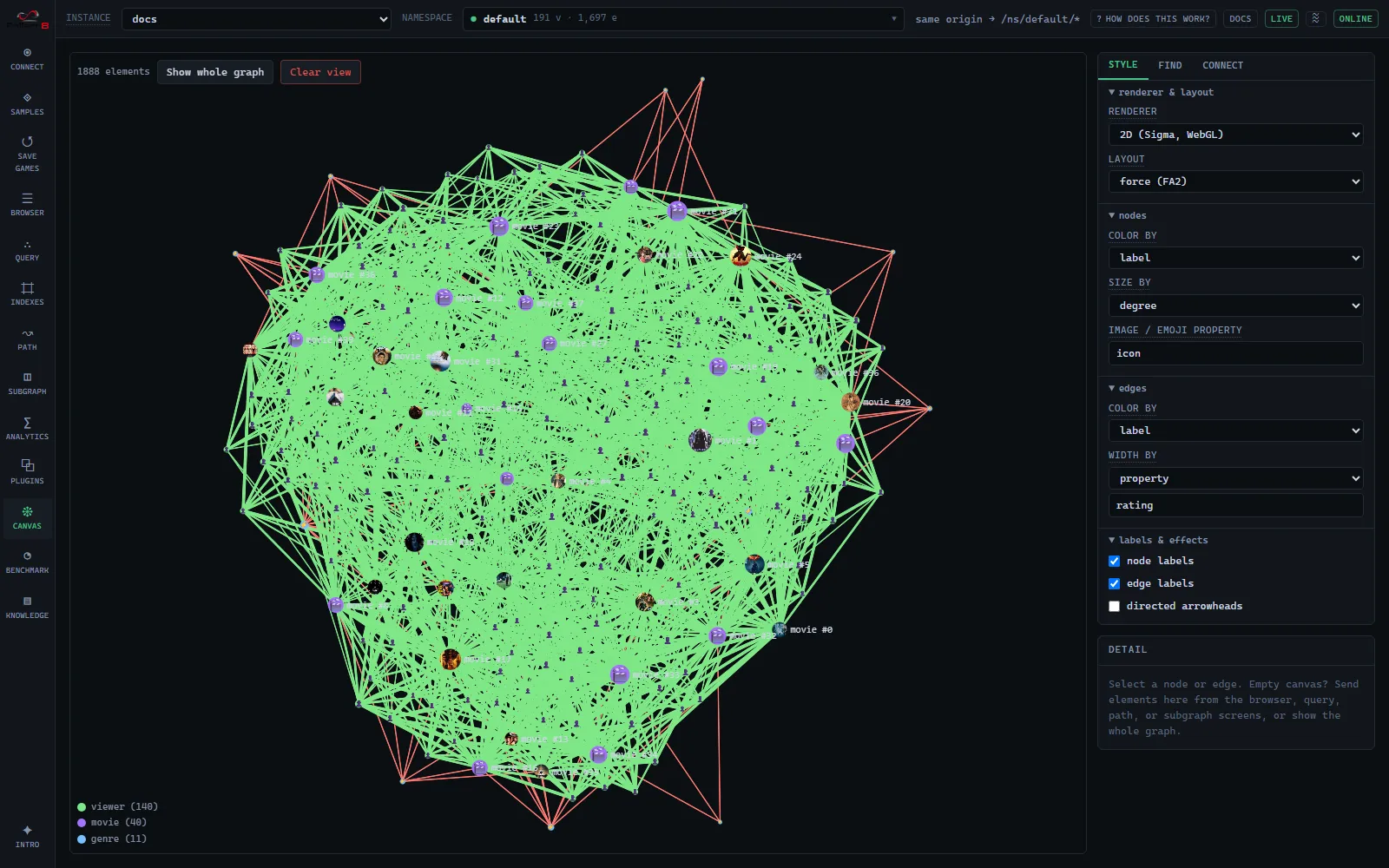
Films, genres, and viewers with real taste communities, poster-image nodes, plot embeddings, and rating-weighted edges. The richest sample for semantic and recommendation work.
Try it:
- Semantic search: “mind-bending sci-fi about dreams” surfaces Inception; “a haunted hotel” finds The Shining (see the worked example below).
- Path: a 2-hop viewer → movie → viewer → movie chain is a recommendation.
- Analytics →
PAGERANKranks the canon;LABELPROPAGATIONrecovers the taste communities.
✈️ World Air Routes, 250 vertices, 5,702 edges
Section titled “✈️ World Air Routes, 250 vertices, 5,702 edges”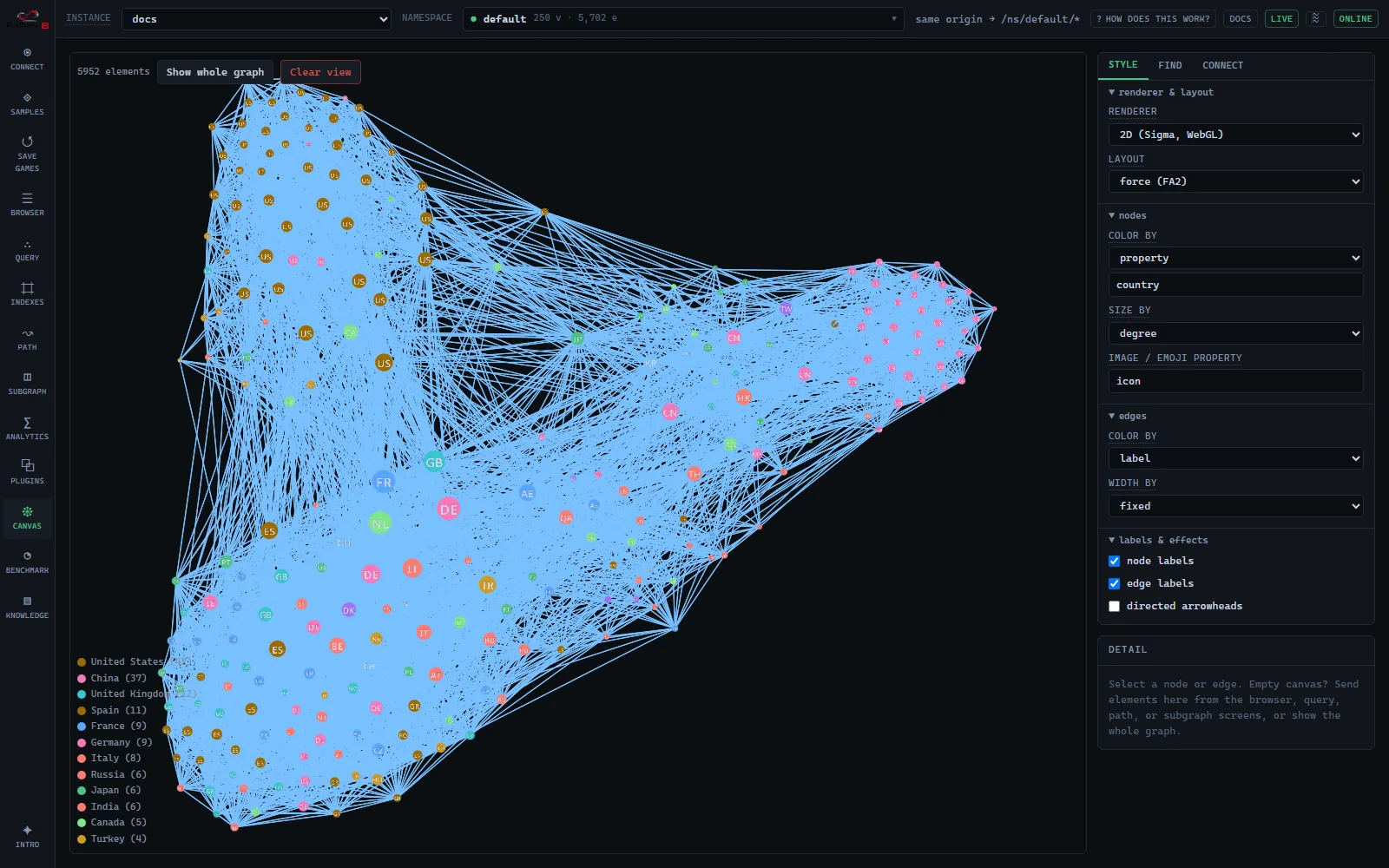
The 250 busiest airports and the flights between them (OpenFlights), colored by country and
sized by degree so the mega-hubs (US, GB, DE, FR…) pop. Each node carries its country flag as
its icon; where the browser has no flag-emoji font it falls back to the two-letter country
code, as in the shot above.
Try it:
- Path → Dijkstra on cost property
kmbetween two airports: a real minimum-distance itinerary. - Semantic search: “major airports in Japan” or “busiest hubs in the Middle East”.
- Analytics →
PAGERANK/DEGREEto rank the global hubs.
📦 Fallen-8 Dependencies, roughly 1,000 vertices, 1,800 edges
Section titled “📦 Fallen-8 Dependencies, roughly 1,000 vertices, 1,800 edges”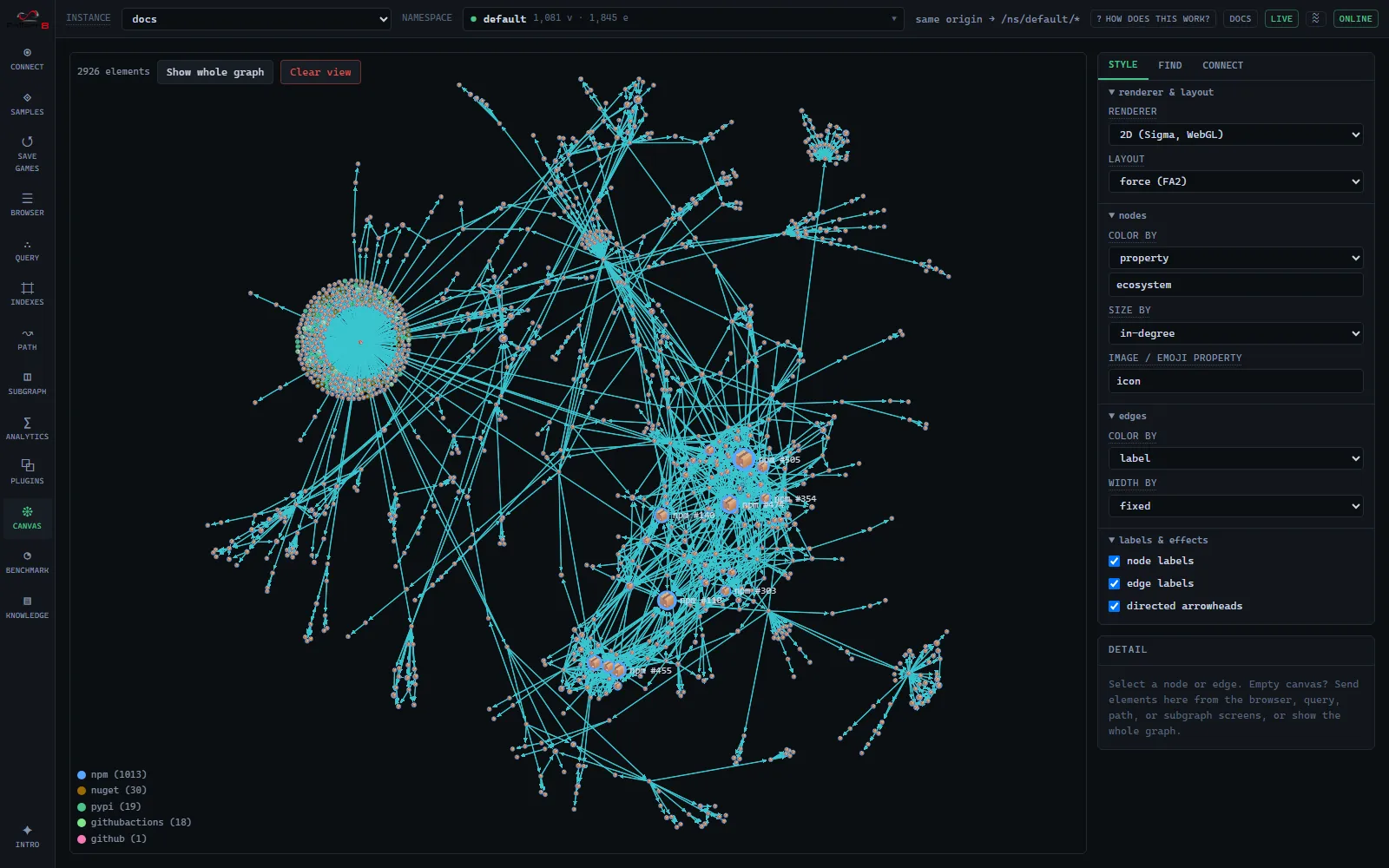
Fallen-8’s own supply chain across every ecosystem (npm, NuGet, PyPI, GitHub Actions, plus the
repository itself as a github node), colored by ecosystem and sized by in-degree. The static twin
of the live GitHub card. A workflow rebuilds it from a fresh SBOM whenever a dependency manifest
changes, so the exact counts move with the project; the card in the gallery always shows the
current ones.
Try it:
- Analytics →
PAGERANKfor the most-depended-on packages;WCCto see each ecosystem fall out as its own component. - Canvas → color by
licenseorecosystem.
🌬️ Wind Farm Fleet Integrity: 94 vertices, 164 edges, plus 3 ingested documents
Section titled “🌬️ Wind Farm Fleet Integrity: 94 vertices, 164 edges, plus 3 ingested documents”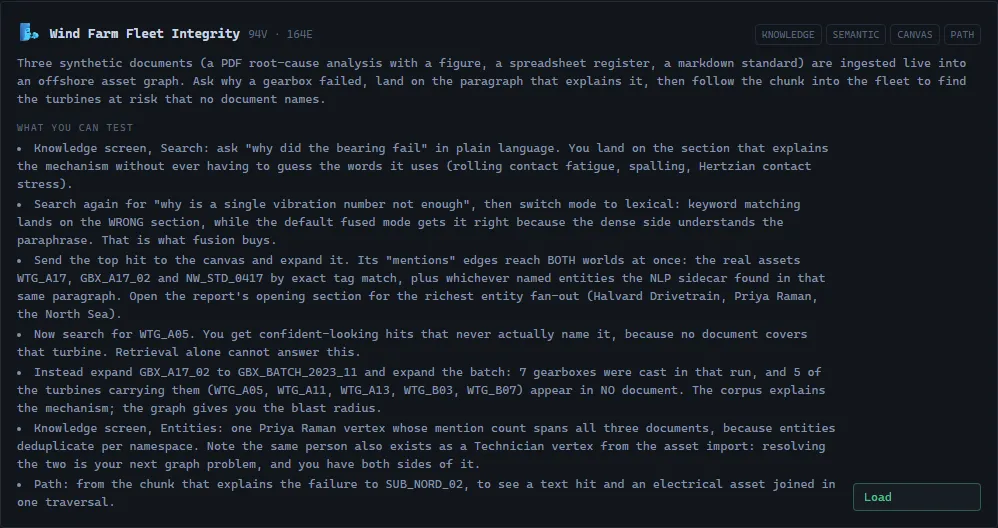
An offshore wind operator’s asset graph (turbines, gearboxes, casting batches, substations, work orders, technicians) with three synthetic documents ingested into it at load time: a PDF root-cause analysis carrying a vibration figure, an XLSX maintenance register, and a markdown engineering standard. Nothing about the knowledge graph is baked; docling conversion, embedding, spaCy enrichment and exact-match linking all actually run, which is why this card needs the sidecars.
It is the sample that shows the semantic layer’s real thesis: a Chunk is an ordinary vertex, so the text you searched and the assets you operate are one graph. Each document reaches the graph a different way, and one chunk ends up bridging both worlds:
- Structural linking reaches assets. Identifier-shaped tokens in the text (
WTG_A17,GBX_A17_02,GBX_BATCH_2023_11) are matched exactly against anasset-tagsindex, so a chunk getsmentionsedges straight to the real equipment. The register’s table chunk extracts 40 such tags and links to the first 16 of them, that being theMaxLinksPerChunkcap rather than the end of the list. - NER reaches people, organisations and places. The technicians, the two gearbox
manufacturers,
Esbjerg, theNorth Sea: those arrive as deduplicated Entity vertices, because prose names with spaces are not identifier-shaped and never link structurally. The reliability engineer who signs all three documents is one vertex with three mentions.
The documents are synthetic, and so are the two manufacturers named in them: the narrative attributes a premature failure to a supplier’s casting batch, which is not a thing to say about a real company.
Try it, in order (the last two steps are the point):
- Knowledge → Search:
why did the bearing fail. You get the section that explains the mechanism without having to guess the vocabulary it uses (rolling contact fatigue, spalling, Hertzian contact stress). You asked a question; you did not construct a keyword query. - Search
why is a single vibration number not enough, then switch mode tolexical. Keyword matching alone lands on the wrong section (the bearing-failure narrative, which is full of those words). The default fused mode gets it right, because the dense side recognises the paraphrase of “an overall broadband level is a single number summarising all the vibration energy”. That is what fusion buys you, demonstrated rather than asserted. - Send the top hit to the canvas and expand it. Its
mentionsedges reach both worlds at once:WTG_A17,GBX_A17_02andNW_STD_0417on the asset side by exact tag match, plus whichever entities the NLP sidecar found in that paragraph. Open the report’s opening section for the richest entity fan-out. - Search
WTG_A05. You get three confident-looking hits and not one of them names that turbine, because no document covers it. This is the honest limit of retrieval, and it is the moment the graph earns its place. - Expand
GBX_A17_02→GBX_BATCH_2023_11, then expand the batch. Seven gearboxes came from that casting run. The documents name only two of the turbines carrying them. The other five,WTG_A05included, are in no document at all, and their readings all sit under the warning level, which is exactly what the root-cause analysis warns about. The corpus explains the mechanism; the graph gives you the blast radius. - Knowledge → Entities: note that the signing engineer exists twice, once as an Entity the
NLP sidecar derived from text and once as a
Technicianthe asset import created. Resolving those two is the next graph problem, and Fallen-8 hands you both sides of it.
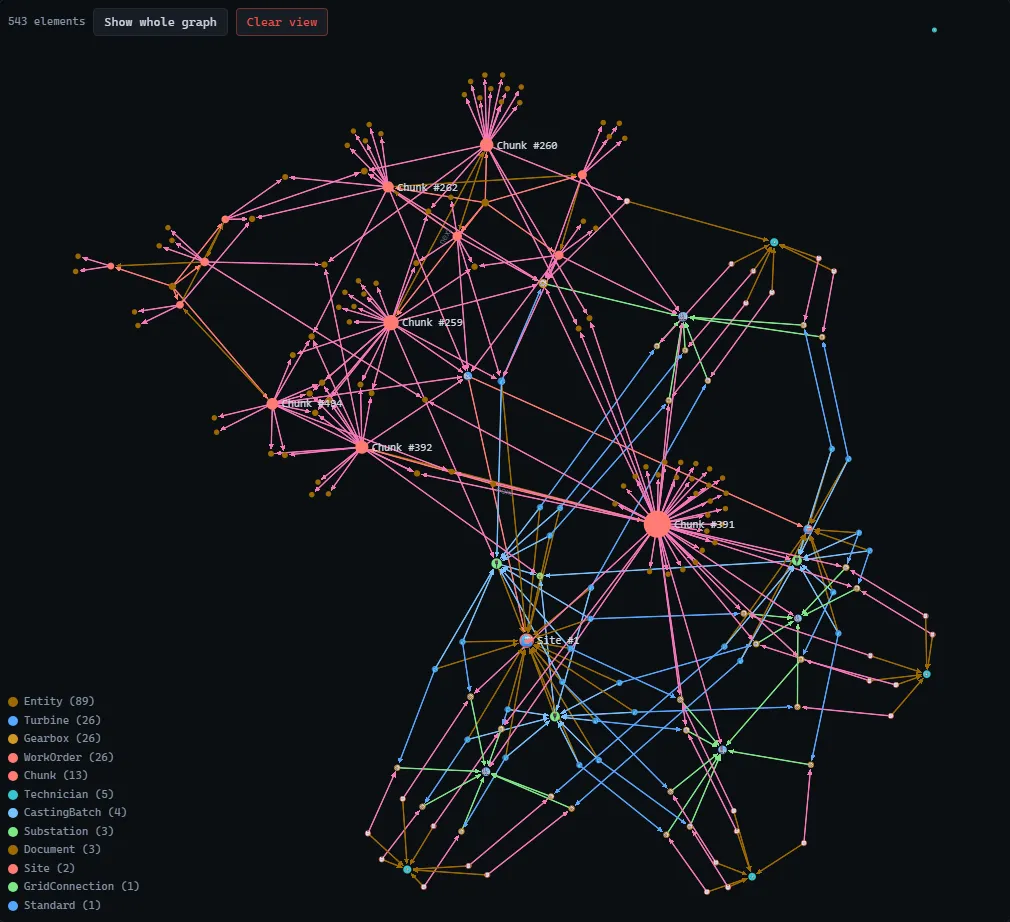
The legend is the point: Turbine, Gearbox, WorkOrder, CastingBatch and Substation came
from the imported dataset, while Document, Chunk and the Entity vertices were produced by
the ingest a moment earlier. They are one graph, in one canvas, joined by mentions edges. The
bright hub in the middle is the register’s table chunk reaching its 16 linked assets. (The entity
count shown, around 90, depends on the spaCy model and tier, so expect it to differ a little on
your machine; the asset links do not vary, because exact matching is deterministic.)
The pipeline itself (chunking, the binding, fused retrieval, linking) is documented in semantic layer.
📈 Scale: 100k × 1M and 🐙 Any GitHub repo
Section titled “📈 Scale: 100k × 1M and 🐙 Any GitHub repo”Two more cards round out the gallery:
- Scale: 100k × 1M: a 100,000-vertex, ~1M-edge graph generated server-side on the
Benchmark tab (not fetched); use it to feel ingest speed, memory footprint, and
analytics at scale. See Benchmark for the presets (
scaleis the one this card means). - Any GitHub repo: paste
owner/repoto fetch any public repository’s dependency graph from GitHub just-in-time and ingest it: the dynamic twin of the Fallen-8 Dependencies sample.
Worked examples
Section titled “Worked examples”Semantic search
Section titled “Semantic search”Load Movie Night, open Query, choose the semantic search mode, and search a
concept rather than keywords. The sample ships an embeddings index, so it is already
selected. “mind-bending sci-fi about dreams” ranks Inception top by cosine similarity: the
query text is embedded once server-side, then run as exact kNN.
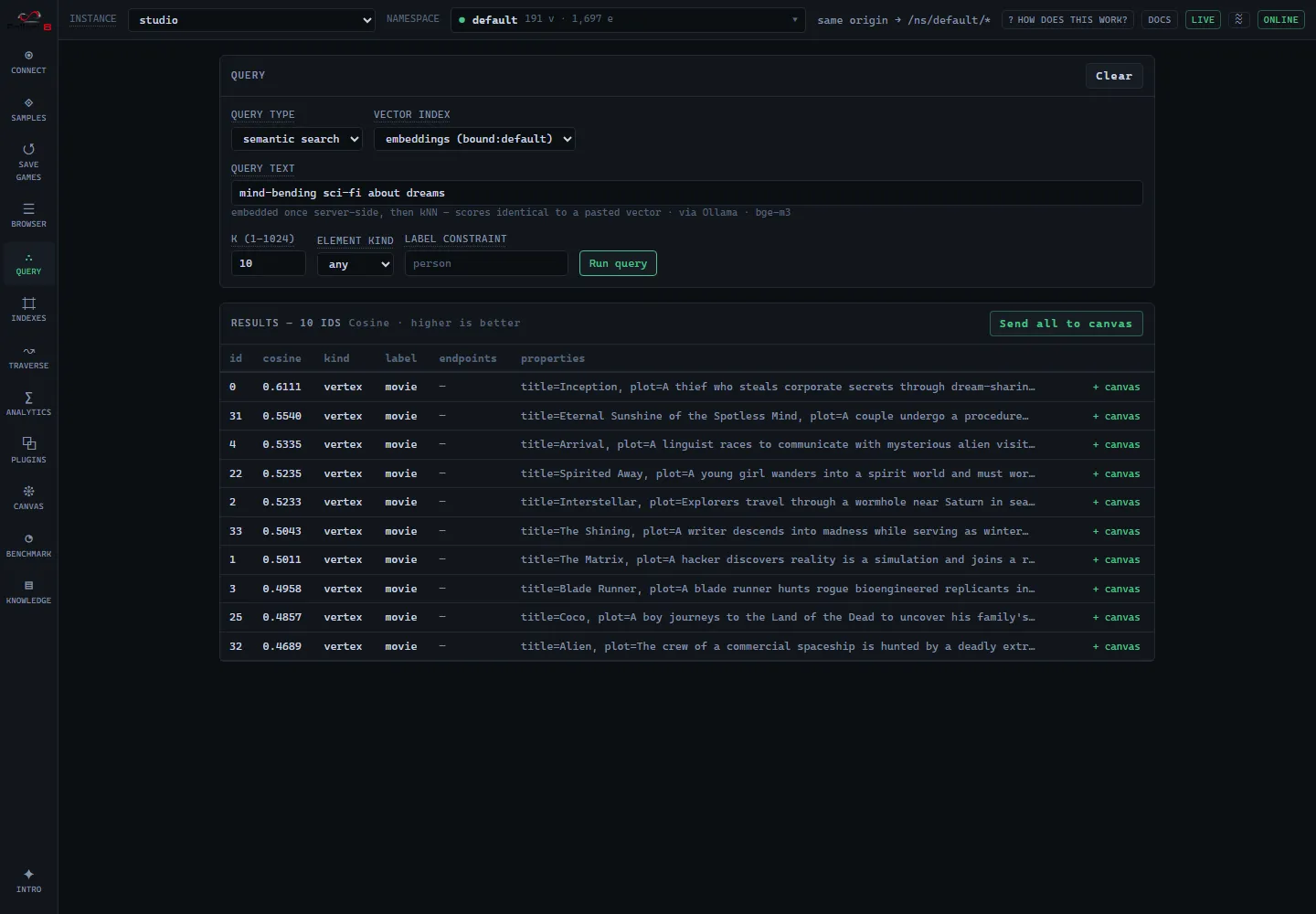
Nothing in that ranking matches the words typed: it is the plots that are close in embedding space. The caption under the query box names the backend and model that turned the sentence into a vector, so a result always says where its query came from.
The mechanics (element embeddings, bound indices, the model-identity contract) are in semantic traversal; the kNN scan itself in vector search.
An interesting path
Section titled “An interesting path”The Traverse screen’s Path finding tab finds routes between two elements. On a
weighted sample (air routes by km, the attack surface by exploitCost) a Dijkstra run
returns the genuinely cheapest route; the default BLS finds fewest-hop paths.
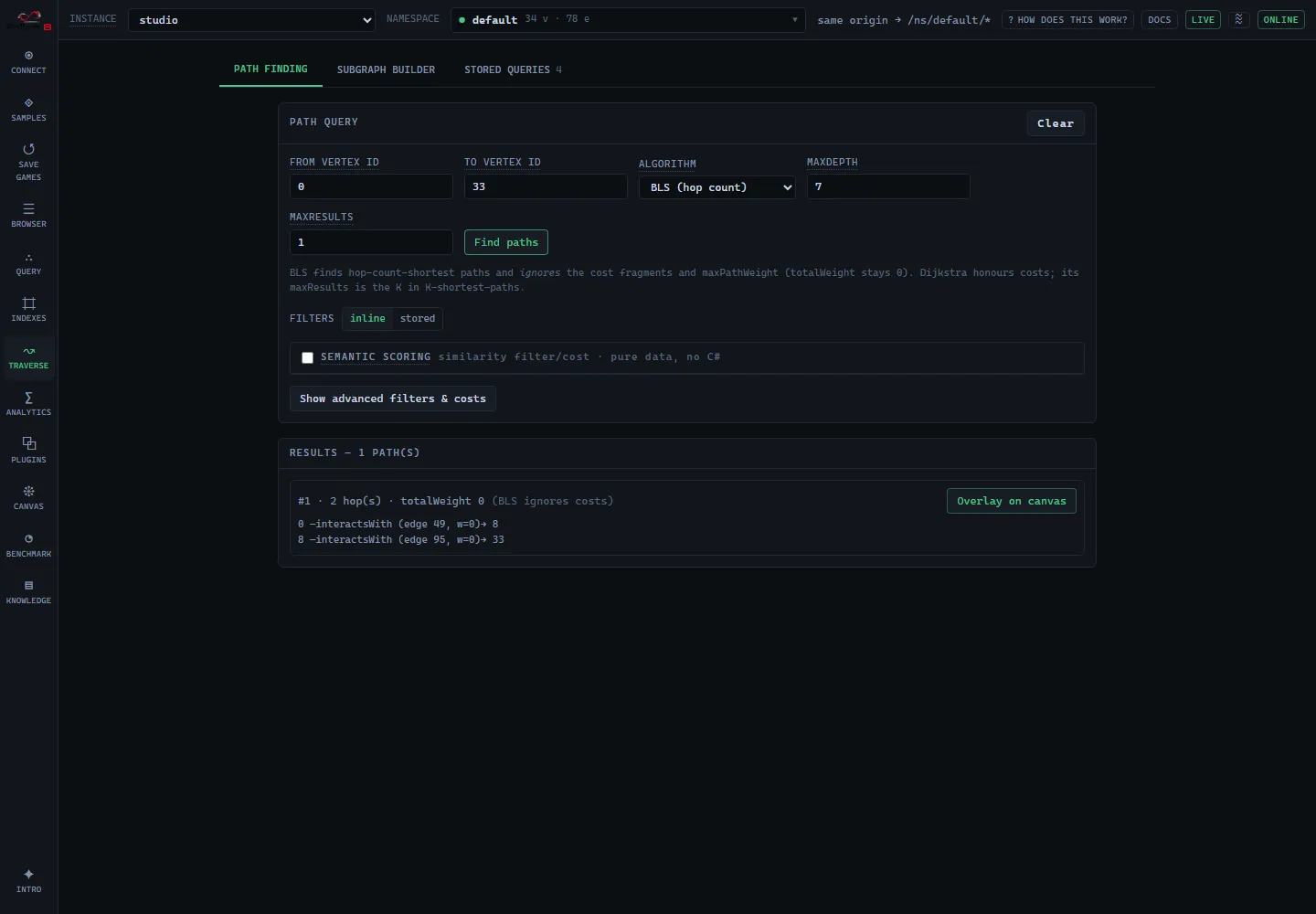
Filters and cost functions are C# delegates; the full path contract is in path finding.
A subgraph
Section titled “A subgraph”The same screen’s Subgraph builder tab builds an alternating vertex, edge pattern and extracts everything on a matching path into a new standalone graph.
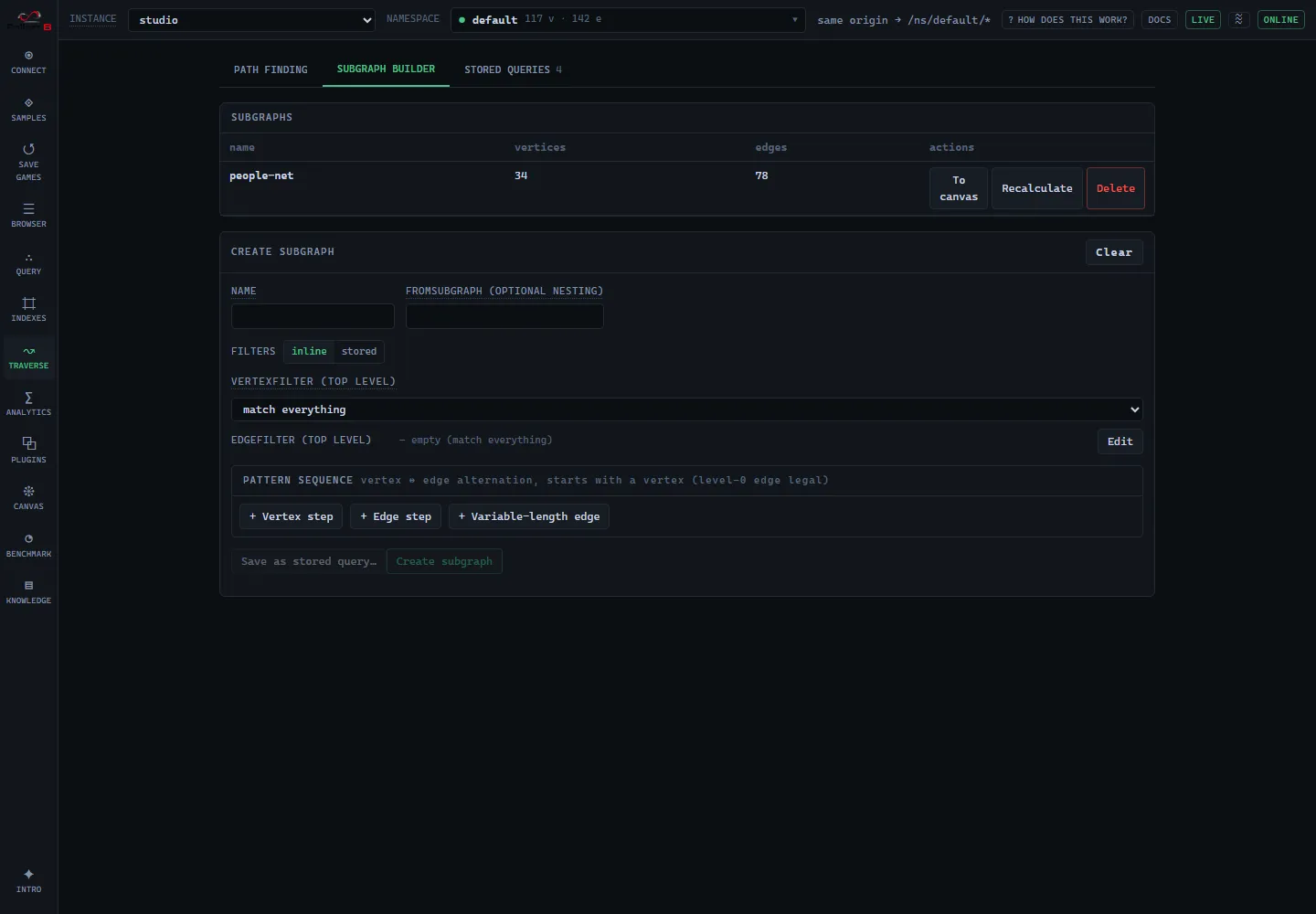
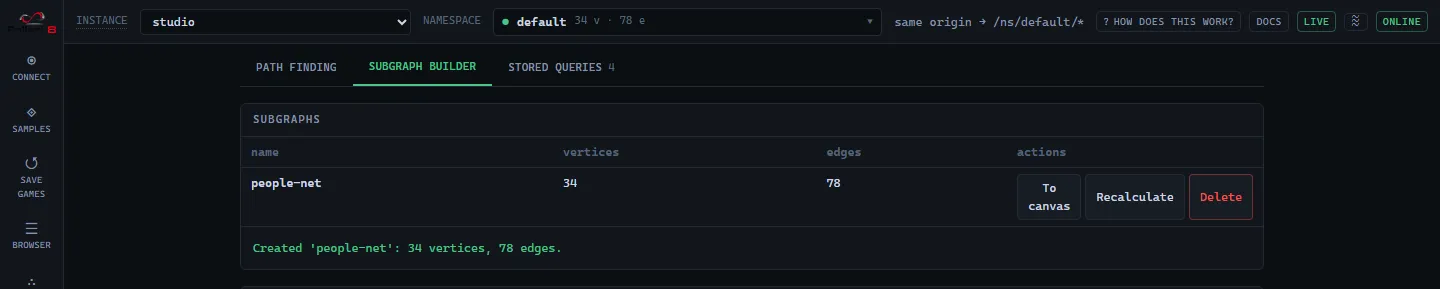
The pattern model and REST lifecycle are in subgraphs.
Rebuilding and adding samples
Section titled “Rebuilding and adding samples”The datasets live in the repo’s top-level samples/ and ship with the app;
the gallery is driven entirely by samples/index.json, so adding a sample is a data change, not a
UI change. The embedded samples’ vectors are produced at build time (never at load) against an
instance with the embedding provider on: the build script embeds through POST /embedding/text,
which is why only the three embedded samples (attack-surface, movie-night, air-routes) need
that provider.
Rebuild from fallen-8-web-ui/:
npm run build:samples # rewrite every dataset and index.jsonnpm run build:samples -- --only karate-club # just one (the others keep their manifest entries)npm run build:samples -- --verify # also round-trip each dataset through a live instance--verify imports each file and creates its index recipes against F8_BASE (default
http://localhost:5078), then wipes it; it refuses anything but an empty instance. A sample
that ships in the repo also registers its builder in scripts/build-samples.ts, which is what
--only names; a sample you just want in your own gallery needs nothing but a fallen8-jsonl file
and a manifest entry.
A sample can also declare documents, which the loader ingests live after the import, plus
indexSeeds to fill an equality index from an imported property and linkIndexIds to name the
linking allowlist. The seeding step exists because creating an index does not backfill it: a
dictionary index created after an import is empty, so linking against it would find nothing. The
document files themselves live in
samples/documents/ and are
committed rather than built, because authoring a PDF and a spreadsheet needs a toolchain the
TypeScript build has no business carrying. Regenerating them is a hand-run step from the repo root:
pip install reportlab openpyxl matplotlibpython samples/documents/generate-documents.pyThe output is byte-reproducible, so a run with unchanged inputs leaves git status clean.
See also
Section titled “See also”- Studio: the UI that hosts the gallery
- Bulk import/export: the
fallen8-jsonlformat the samples use - Semantic traversal / Vector search: the embedding features the samples exercise
- Graph analytics · Path finding · Subgraphs: the algorithms the “try it” steps drive